
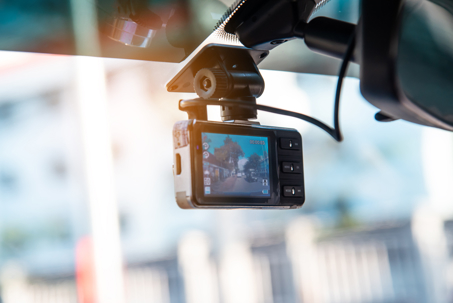
Most dashcams use loop recording, meaning they continuously record in short segments and overwrite the oldest footage once the SD card is full. After a crash, that feature can quickly erase critical evidence—especially if your vehicle remains on or the camera keeps recording while you wait for assistance.
If your dashcam has a G-sensor “event lock,” it may automatically save a clip when it detects impact. However, that feature is not foolproof. Some devices lock the wrong segment, capture only a few seconds, or fail to trigger at all. As soon as you are safe, power down the camera (or the vehicle) to prevent additional overwriting. Avoid repeatedly turning the device on and off, which can corrupt files.
If your system includes parking mode or is hardwired, it may continue recording even when the vehicle is off. Disable recording as soon as you can safely do so. When in doubt, preserve everything. Treat the SD card like physical evidence.
Create Secure Backups With Verifiable Integrity
After the immediate emergency is handled, remove the SD card and store it safely. Create a full copy of the entire card to a computer, not just the clip showing the crash. Pre-impact driving, secondary impacts, or post-crash positioning may all become important later.
It is smart to keep two versions of your footage:
Original file: Untouched, directly from the SD card or cloud.
Playback copy: A duplicate you can easily share with insurers.
Avoid editing, trimming, filtering, or re-encoding the original file. Even small changes can raise questions about authenticity. If your dashcam uploads to the cloud, save confirmation emails, timestamps, and logs. Maintaining a simple record of when you removed the card and made copies can strengthen your credibility if the footage is ever questioned.
Build a Clean, Claim-Ready Evidence Packet
Dashcam footage is powerful, but it works best when paired with organized documentation. Insurance adjusters move faster when you provide a complete evidence packet instead of scattered follow-ups.
A strong claim-ready packet may include:
Dashcam footage (original and playback copy)
Police report number and responding agency
Scene photos showing vehicle positions, damage, and traffic controls
Witness names and contact information
Medical visit summaries and treatment recommendations
Repair estimates, towing receipts, and rental car documentation
Even if liability seems obvious on video, insurers still require proof of injuries and financial losses. Organized documentation reduces delays and limits opportunities for dispute.
Submit Footage Without Hurting Your Claim
You may file a first-party claim through your own insurer (using collision, MedPay, or uninsured/underinsured motorist coverage) or a third-party claim against the at-fault driver’s liability policy. Dashcam footage can support either route, but timing and strategy matter.
Provide prompt notice to your insurer, as many policies require it. Keep your initial report factual and avoid speculation before carefully reviewing the video.
When submitting footage:
Send the original file (or zipped original) without altering it.
Provide a clearly labeled playback copy.
Keep proof of upload confirmations or sent emails.
Document when and how you shared the file.
Avoid relying solely on email attachments, which may compress large files. Claim portals or secure cloud links are often more reliable, but always confirm successful delivery.
Handle Disputes and Fault Allocation
Dashcam footage can eliminate “he said/she said” disputes, but it is not a magic solution. In comparative negligence states, you can still be assigned partial fault. Longer, uncut segments often provide better context than a brief impact-only clip.
If an insurer claims the video is inconclusive or questions its authenticity, respond by providing longer footage, additional camera angles, and supporting documentation. Maintain a simple log of how the footage was preserved and handled. Avoid editing to “clarify” the video—doing so can weaken credibility.
Protect Your Privacy and Legal Position
Interior-facing cameras and audio recording features may raise consent concerns, particularly if passengers are recorded. Be cautious about sharing audio publicly. Offhand comments made immediately after a crash can be misinterpreted later.
Most importantly, avoid posting dashcam footage to social media while a claim is pending. Public posts can complicate negotiations, expose private information, and undermine your claim strategy. Share footage only with insurers, law enforcement, and your attorney.
If your dashcam footage is being ignored, misunderstood, or used to shift blame after a crash in Columbia, Missouri, Aaron Sachs & Associates, P.C. can help you understand your options. Having experienced guidance can make the difference between a delayed claim and a fair resolution.
Disclaimer: This article is for informational purposes only and does not constitute legal advice. Every accident and insurance policy is different. Consider speaking with a qualified attorney about your specific situation.